
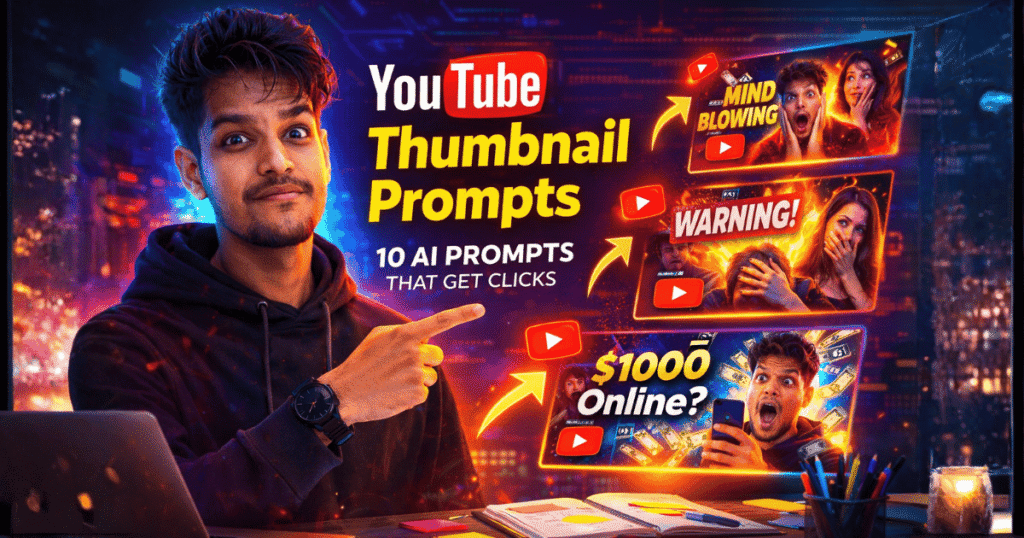
Want your videos to instantly grab attention and get more clicks? The secret often lies in a powerful thumbnail. In today’s competitive content world, creators are increasingly using YouTube Thumbnail Prompts to generate eye-catching visuals with AI tools. Instead of spending hours designing thumbnails manually, smart creators now use carefully crafted prompts to create bold, cinematic, and scroll-stopping thumbnails in seconds.
The rise of AI image generators and the demand for higher click-through rates have made YouTube Thumbnail Prompts one of the most searched topics among YouTubers, marketers, and content creators. A well-designed thumbnail can dramatically increase views, engagement, and channel growth.
In this Article, you’ll discover powerful YouTube Thumbnail Prompts that help you create viral-worthy thumbnails, stand out in crowded feeds, and boost your video performance. Keep reading to unlock thumbnail ideas that can transform your YouTube strategy. 🚀📈
You can also explore our collection of trending AI prompts to create viral AI images for social media.
Why YouTube Thumbnails Matter
Successful creators on YouTube know that thumbnails directly impact video performance.
A good thumbnail should:
- Grab attention instantly
- Create curiosity
- Highlight emotion
- Use bold contrast
- Focus on one clear subject
When these elements are combined, thumbnails become highly clickable.


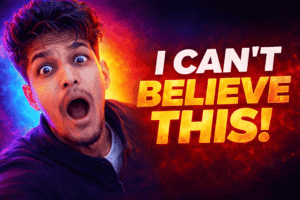

How AI Prompts Help Create Better Thumbnails
AI image generators can produce professional thumbnail designs when the prompts include the right visual elements.
A strong thumbnail prompt usually includes:
- Bright colors
- Facial expressions
- Dramatic lighting
- Bold composition
- High contrast background
Example prompt structure:
“High-impact YouTube thumbnail showing surprised creator expression, vibrant neon background, dramatic lighting, bold composition, ultra-detailed digital illustration, cinematic style.”
This format helps AI generate scroll-stopping thumbnails.
“Copy these prompts into ChatGPT and modify the subject, niche, colors, and text to generate custom YouTube thumbnails for your videos.”
10 AI Prompts for Professional YouTube Thumbnails
Below are 10 high-quality YouTube Thumbnail prompts you can use with AI image tools.
Tip: “Copy these prompts into ChatGPT and modify the subject, niche, colors, and text to generate custom YouTube thumbnails for your videos.”
Viral Reaction Thumbnail
Prompt:
Create a high-impact YouTube thumbnail (1280 × 720 px, 16:9) designed for maximum click-through rate. Subject: [Creator or character] with a shocked or surprised expression. Background: Bright neon gradient with dramatic lighting. Composition: • Close-up face on the left side • Bold text space on the right Text: “[Insert Video Title Hook]” in large bold thumbnail typography. Style: Ultra-sharp, vibrant colors, high contrast, professional YouTube thumbnail design, cinematic lighting, attention-grabbing. Optimization: Ensure the design is optimized for mobile viewing and remains clear and readable even at small sizes.Tech Review Thumbnail
Prompt:
Generate a professional YouTube thumbnail (1280 × 720 px, 16:9) for a tech review video. Subject: [Product name] glowing in the center. Foreground: Creator pointing toward the product with an excited expression. Background: Futuristic technology environment with glowing interface elements and digital effects. Text: “Is This Worth It?” or “[Insert Product Review Hook]” Style: High contrast lighting, modern tech aesthetic, ultra detailed, vibrant color grading. Composition: • Product placed prominently in the center • Creator positioned slightly to the side pointing at the product • Leave a clear area for bold headline text placement Optimization: Ensure the thumbnail is optimized for YouTube CTR, mobile-friendly, and clearly visible even at small sizes.Also Explore Prompts to Write Viral YouTube Scripts
Money / Business Video Thumbnail
Prompt:
Create a professional YouTube thumbnail (1280 × 720 px, 16:9) for a make-money-online video.
Subject:
Entrepreneur with a shocked expression holding a phone or laptop.
Foreground:
Floating dollar bills and an upward arrow graph showing income growth.
Background:
Bright yellow and green gradient with dramatic lighting and glowing effects.
Text:
“$1000 Online?”
Style:
High-energy colors, bold contrast, cinematic lighting, ultra detailed, vibrant YouTube thumbnail design.
Composition:
- Entrepreneur positioned prominently with expressive reaction
- Money elements and growth graph surrounding the subject
- Leave clear space for bold headline text
Optimization:
Make the composition highly clickable, curiosity-driven, and optimized for mobile viewing so it remains clear at small sizes.
AI Tools Video Thumbnail
Prompt:
Design a high-click YouTube thumbnail (1280 × 720 px, 16:9) for an AI tools video. Subject: Creator pointing at a holographic AI interface. Background: Futuristic digital workspace with glowing neural network graphics, holograms, and digital data streams. Text: “10 AI Tools You Must Try” Style: Cyberpunk neon colors, dramatic lighting, modern digital aesthetic, ultra detailed, high contrast. Composition: • Creator placed on one side pointing toward the AI interface • AI holographic elements glowing in the center • Leave clear space for bold headline text Optimization: Focus on high visual contrast, curiosity-driven design, and ensure the thumbnail remains clear and readable on mobile screens and small sizes.Before vs After Thumbnail
Prompt:
Design a split-screen YouTube thumbnail (1280 × 720 px, 16:9). Concept: A dramatic “Before vs After” transformation. Left Side: “Before” scene with dull colors, messy result, low lighting, and unpolished appearance. Right Side: “After” scene with bright colors, clean professional result, high-quality lighting, and polished look. Subject: Creator reacting to the transformation with a surprised or impressed expression. Text: “Before vs After” Style: Strong contrast lighting, dramatic transformation effect, vibrant colors on the “After” side, ultra detailed YouTube thumbnail style. Composition: • Clear vertical split between the two scenes • Creator placed in the center or slightly overlapping both sides • Leave space for bold headline text Optimization: Ensure high visual contrast and clarity so the transformation is obvious even on small mobile screens.Tutorial Video Thumbnail
Prompt:
Generate a clean tutorial YouTube thumbnail (1280 × 720 px, 16:9). Subject: Creator pointing to a glowing step-by-step interface or tutorial screen. Background: Modern workspace with soft lighting, minimal distractions, and a clean professional environment. Text: “Step-by-Step Guide” Style: Professional educational YouTube thumbnail design, clean layout, modern aesthetic, clear composition, ultra sharp details. Composition: • Creator positioned on one side pointing at the tutorial interface • Interface elements glowing slightly to highlight steps • Leave clear space for bold headline text Optimization: Ensure strong readability for mobile viewers and maintain clarity even at small thumbnail sizes.Gaming Video Thumbnail
Prompt:
Create a dynamic gaming YouTube thumbnail (1280 × 720 px, 16:9). Subject: Game character or player reaction showing excitement, shock, or victory. Background: Explosive action scene from gameplay with motion effects and intense energy. Lighting: Dramatic glowing effects, sparks, and high-impact lighting to enhance the action. Text: “INSANE WIN!” or “[Insert Gaming Hook]” Style: High energy, intense colors, cinematic gaming thumbnail design, ultra detailed, high contrast. Composition: • Main character or player reaction placed prominently • Action elements and explosions in the background • Leave clear space for bold headline text Optimization: Ensure the thumbnail is highly clickable, visually dramatic, and clear even on small mobile screens.Viral Educational Thumbnail
Prompt:
Design a high-CTR educational YouTube thumbnail (1280 × 720 px, 16:9). Subject: Creator pointing to a glowing concept, chart, or educational diagram. Background: Bright colorful gradient with modern graphics, abstract shapes, and subtle learning-themed icons. Text: “Learn This Fast!” Style: Clean modern design, vibrant colors, high contrast, professional educational YouTube thumbnail aesthetic. Composition: • Creator placed on one side pointing toward the concept or diagram • Glowing educational elements highlighted in the center • Leave clear space for bold headline text Optimization: Ensure the thumbnail is curiosity-driven, highly clickable, and easy to read on mobile screens and small sizes.Marketing Strategy Thumbnail
Prompt:
Generate a professional YouTube thumbnail (1280 × 720 px, 16:9) for a marketing strategy video. Subject: Entrepreneur analyzing a digital marketing dashboard on a laptop or large screen. Background: Analytics charts, glowing growth arrows, data graphs, and digital marketing interface elements. Text: “Marketing Secrets” Style: Clean business design, modern professional look, high contrast visuals, ultra sharp details. Composition: • Entrepreneur placed slightly to one side looking at the dashboard • Marketing analytics and growth arrows highlighted in the background • Leave clear space for bold headline text Optimization: Ensure the thumbnail is visually clear, highly clickable, and readable on mobile screens and small sizes.Tips for Creating High-CTR YouTube Thumbnails
Even with AI prompts, follow these important principles:
- Use bright colors
- Keep the subject clear
- Add strong emotion
- Use dramatic lighting
- Focus on one main visual
Also read - How to Make Money Using AI Prompts in 2026 – 7 Proven Ways
These techniques help thumbnails stand out in the crowded YouTube feed.
Best Practices for YouTube Thumbnails
For best performance on YouTube:
- Use 1280 × 720 resolution
- Maintain high contrast colors
- Keep visual focus simple
- Avoid cluttered designs
Professional thumbnails can significantly improve video click-through rate.
Frequently Asked Questions
What are YouTube Thumbnail prompts?
YouTube Thumbnail prompts are detailed text instructions used with AI image generators to create visually attractive thumbnails for videos.
Why are thumbnails important for YouTube videos?
Thumbnails influence whether viewers click on a video. A strong thumbnail can increase click-through rate and improve video performance.
What makes a good YouTube thumbnail?
A good thumbnail includes bright colors, clear subject focus, emotional expression, and strong contrast.
Can AI generate YouTube thumbnails?
Yes. Modern AI tools can generate professional thumbnails when given well-structured prompts.
Final Thoughts
A powerful thumbnail can make the difference between a video that gets ignored and one that goes viral.
By using these YouTube Thumbnail prompts, creators can quickly generate professional thumbnail visuals that attract attention and increase clicks.
Whether you’re a beginner creator or an experienced YouTuber, using AI prompts can help you produce high-quality thumbnails faster and more efficiently.