


Python is one of the most powerful and beginner-friendly programming languages in the world. Whether you’re learning to code, building automation tools, or developing full applications, Python makes development fast and efficient.
But many developers face the same problem: what project should I build next?
This is where AI prompts and Python example code become extremely valuable. With the right prompt, you can instantly generate project ideas, scripts, automation tools, and full applications.
In this Article, you’ll discover powerful prompts to build Python projects, along with useful Python example code you can use to start building immediately.
Why Use Prompts to Build Python Projects?
AI tools can accelerate the coding process dramatically. Instead of spending hours brainstorming ideas, you can generate projects instantly, including the benefits.
- Faster project creation
- Learning Python through real examples
- Improved coding skills
- Rapid prototyping
- Automation of repetitive tasks
Using Python example code, developers can quickly understand logic, structure, and best practices.
1. Prompt to Generate a Beginner Python Project
This prompt helps beginners generate simple coding projects using Python example code.
Prompt:
Create a beginner-friendly Python project with Python example code. Requirements: Suggest a simple project idea suitable for beginners. Provide a step-by-step explanation. Write clean, well-commented Python code. Explain how the code works. Suggest 2–3 ways to improve the project with additional features.Example Python Code
import random number = random.randint(1, 100) guess = int(input(“Guess a number between 1 and 100: “)) if guess == number: print(“Correct! You guessed the number.”) else: print(“Wrong! The number was:”, number)2. Prompt to Generate a Python Automation Script
Automation scripts are one of the most practical uses of Python.
Prompt
Generate a Python automation project with Python example code. Requirements: Automate a repetitive task such as renaming files or organizing folders. Explain the purpose of the automation script. Provide clean Python code with comments. Include instructions on how to run the script.Example Python Code
import os folder = “files” for count, filename in enumerate(os.listdir(folder)): new_name = f”file_{count}.txt” src = os.path.join(folder, filename) dst = os.path.join(folder, new_name) os.rename(src, dst) print(“Files renamed successfully.”)3. Prompt to Create a Python Data Analysis Project
This prompt is useful for data science and analytics learners.
Prompt
Create a Python data analysis project using Python example code. Requirements: Use Python libraries like pandas and matplotlib. Load a dataset and analyze it. Show at least one data visualization. Explain what insights the analysis reveals. Write clean and beginner-friendly code.Example Python Code
import pandas as pd import matplotlib.pyplot as plt data = pd.read_csv(“sales.csv”) monthly_sales = data.groupby(“month”)[“revenue”].sum() monthly_sales.plot(kind=”bar”) plt.title(“Monthly Revenue”) plt.xlabel(“Month”) plt.ylabel(“Revenue”) plt.show()4. Prompt to Generate a Python Web Scraping Project
Web scraping projects help developers learn data extraction and automation.
Prompt
Generate a Python web scraping project with Python example code. Requirements: Use requests and BeautifulSoup. Extract useful data from a website. Print or store the data in a CSV file. Include explanations for each step in the script.Example Python Code
import requests from bs4 import BeautifulSoup url = “https://example.com” response = requests.get(url) soup = BeautifulSoup(response.text, “html.parser”) titles = soup.find_all(“h2”) for title in titles: print(title.text)5. Prompt to Build a Python REST API
This prompt helps generate backend development projects.
Prompt
Create a simple REST API project in Python using Python example code. Requirements: Use the Flask framework. Create at least one API endpoint. Demonstrate GET request functionality. Return JSON responses. Include instructions on how to run the API server.Example Python Code
from flask import Flask, jsonify app = Flask(__name__) @app.route(“/api”) def home(): return jsonify({“message”: “Hello from Python API”}) app.run(debug=True)6. Prompt to Generate Python Project Ideas
This prompt is perfect for developers looking for inspiration.
Prompt
Suggest 10 Python project ideas with Python example code. Requirements: Include projects for beginner, intermediate, and advanced levels. Provide a short description for each project. Include example Python code snippets. Explain the skills learned from each project.Example Python Code
- Password generator
- Web scraper
- Chatbot
- File organizer
- Weather app
- Data visualization dashboard
7. Prompt to Improve Existing Python Code
This prompt helps developers optimize their Python scripts.
Prompt
Improve the following Python code and provide a better version with Python example code. Requirements: Optimize performance Improve readability Add comments explaining the code Suggest best practices for Python programmingExample
for i in range(0,10): print(i)Improved version:
for number in range(10): print(number)8. Prompt to Build a Real-World Python Application
This prompt helps generate complete practical projects.
Prompt
Create a real-world Python project with Python example code. Requirements: Explain the problem the application solves Provide structured Python code Include features such as file handling or APIs Suggest future improvements for the projectExample Idea
Task Manager Application Example snippet:
tasks = [] task = input(“Enter a new task: “) tasks.append(task) print(“Your Tasks:”, tasks)9. Prompt to Generate Python Learning Exercises
This prompt is ideal for coding practice content.
Prompt
Generate 5 Python programming exercises with Python example code. Requirements: Include beginner-friendly problems Provide solutions in Python Explain how the solution works Focus on core Python concepts10. Prompt to Create a Python Mini App
This prompt helps build small portfolio projects.
Prompt
Create a small Python mini application with Python example code. Requirements: Build a useful tool, such as a calculator or password generator Explain how the application works Write clean and structured Python code Suggest additional features to expand the project [/copy]Example Python Code
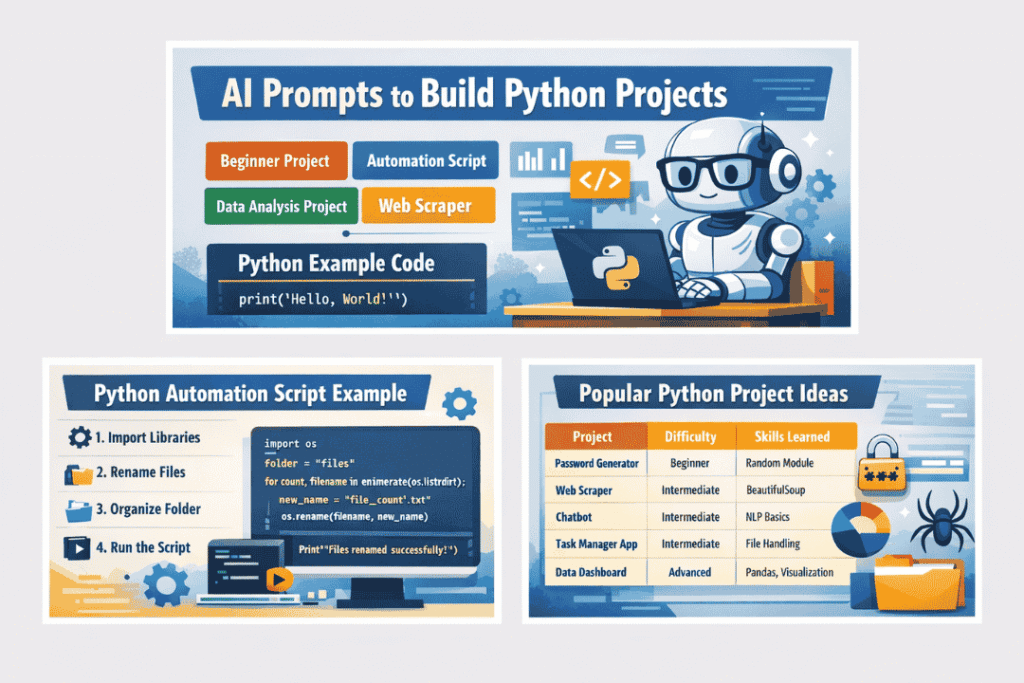
num1 = float(input(“Enter first number: “)) num2 = float(input(“Enter second number: “)) result = num1 + num2 print(“Result:”, result)Popular Python Project Ideas
| Project | Difficulty | Skills Learned |
|---|---|---|
| Password Generator | Beginner | Random module |
| Web Scraper | Intermediate | Requests, BeautifulSoup |
| Chatbot | Intermediate | NLP basics |
| Task Manager App | Intermediate | File handling |
| Data Dashboard | Advanced | Pandas, visualization |
These projects help developers practice Python example code in real-world applications.
For Guide – realpython
Best Practices When Using Python Example Code
When using example code, always follow these principles:
1. Understand the Code: Never copy blindly. Study the logic behind each function.
2. Modify the Project: Improve the project by adding features like:
- GUI interface
- database storage
- API integration
3. Use Version Control: Store your projects on GitHub to track changes.
FAQ Section
What is Python example code?
Python example code is sample Python programming code used to demonstrate how specific functions, algorithms, or applications work.
How do AI prompts help in Python development?
AI prompts help developers generate Python example code, project ideas, debugging suggestions, and complete applications faster.
What are the best Python projects for beginners?
Some beginner-friendly projects include: Number guessing game, Password generator, To-do list app, Simple calculator, File organizer
Where can I find more Python example code?
You can find Python examples on: Python official documentation, GitHub repositories, developer tutorials, and coding blogs.
Conclusion
Using prompts to build Python projects is one of the fastest ways to improve programming skills. With the right prompts, you can instantly generate useful applications, automation scripts, APIs, and data analysis tools.
By experimenting with python example code, developers can understand real coding patterns, build practical projects, and expand their technical expertise.
If you want to accelerate your coding journey, start using AI prompts today and turn ideas into working Python projects in minutes.
Explore more coding prompts and AI tools on your blog to keep learning and building powerful software projects.


